
Simple Tips for Organizing Your Home Office for Increased Productivity

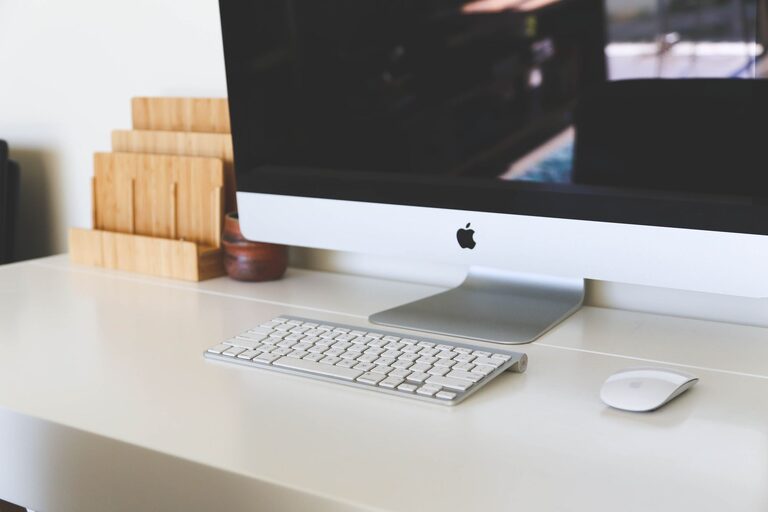
Creating an organized and efficient home office is essential for maintaining productivity and focus throughout your workday. Whether you work from home full-time or occasionally, a tidy and thoughtfully arranged workspace can help reduce distractions and improve your overall work experience. Here are some simple tips to help you organize your home office for increased productivity.
Choose the Right Location
The first step in organizing your home office is selecting the ideal spot. Choose a quiet area with minimal foot traffic and distractions. Ideally, it should have good natural lighting to help reduce eye strain and boost mood. Ensure there is enough space for your desk, chair, and any storage solutions you require.
Invest in Functional Furniture
Select furniture that meets both your ergonomic and organizational needs. A comfortable and adjustable chair is crucial for maintaining good posture. Choose a desk that provides ample surface area for your computer, paperwork, and other essentials. Consider desks with built-in storage or combine with filing cabinets and shelves to keep items off your workspace.
Declutter Your Workspace
A cluttered desk can lead to a cluttered mind. Start by removing everything from your desk and only bring back what you truly need daily. Organize papers and supplies into designated spots. Consider going paperless where possible to reduce physical clutter.
Use Storage Solutions Wisely
Efficient storage is key to keeping your office organized. Here are some ideas:
– Shelves: Install wall shelves to store books, reference materials, or decorative items that keep your workspace inspiring.
– Filing Cabinets: Keep important documents organized and easily accessible by using labeled folders inside filing cabinets.
– Desk Organizers: Use trays, cups, or small containers for pens, paper clips, sticky notes, and chargers.
– Storage Bins: For seasonal or less frequently used items, storage bins can help keep your office neat without overcrowding your everyday workspace.
Establish a Filing System
Create a clear, consistent filing system for your documents. You can sort them by categories such as bills, receipts, project files, or correspondence. Label folders clearly and make it a habit to file papers as soon as possible to prevent piles from stacking up again.
Manage Cables and Electronics
Tangled cables and messy electronics not only look chaotic but can be distracting and even unsafe. Use cable organizers, clips, or sleeves to bundle cords neatly. Position your computer and accessories so cables run behind your desk, out of sight. Regularly dust and clean electronic devices to keep them running smoothly.
Personalize Your Space Thoughtfully
A few personal touches can make your office feel inviting and boost your mood. Add a small plant for a bit of greenery, a piece of inspiring artwork, or a photo that makes you smile. However, avoid overcrowding your space with too many decorations, which can become distractions.
Create Zones for Different Activities
If your workspace is large enough, divide it into zones to help your brain understand when it’s time to focus, collaborate, or take breaks:
– Work Zone: Desk and computer setup for your main tasks.
– Reference Zone: Shelf or table for books, binders, and materials you often consult.
– Relaxation Zone: A comfortable chair or space where you can pause briefly and recharge.
Keep Supplies Within Reach
Organize your most-used supplies within arm’s reach to reduce interruptions during your work. Store less frequently used items in drawers or further away to keep your desktop uncluttered.
Incorporate Good Lighting
In addition to natural light, use quality task lighting such as adjustable desk lamps. Proper lighting reduces eye strain and helps maintain focus during long work hours.
Develop End-of-Day Rituals
Spend a few minutes at the end of each day to tidy your workspace. File documents, put away supplies, and clear your desk. This simple habit helps you start the next day with a clean and inviting environment.
Utilize Digital Tools
Combine physical organization with digital tools like apps for note-taking, task management, and document storage. This reduces the amount of paper on your desk and keeps your workflow organized.
Maintain a Consistent Schedule
An organized office works best when paired with consistent work routines. Set regular work hours and break times to help your mind stay prepared and focused.
—
Organizing your home office doesn’t have to be overwhelming. By implementing these simple tips, you can create a workspace that enhances your comfort and productivity. Remember, small changes can make a big difference in how effective and pleasant your work-from-home experience can be. Happy organizing!