
Tips for Creating a Cozy and Productive Home Office Space

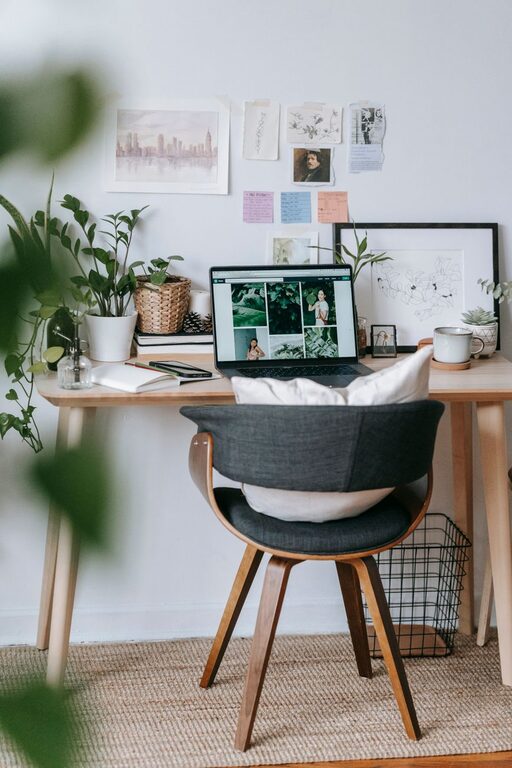
Creating a home office space that is both cozy and productive can transform the way you work from home. A well-designed workspace helps you stay focused, reduces stress, and improves overall work satisfaction. Whether you have a dedicated room or a small corner, there are thoughtful ways to make your home office comfortable and efficient. In this post, we’ll explore practical tips to help you set up a space where you can work happily and effectively.
Choose the Right Location
Consider Natural Light
Natural light is one of the best elements you can add to your workspace. Position your desk near a window if possible. Sunlight can uplift your mood, reduce eye strain, and help regulate your daily rhythm.
Minimize Distractions
Pick a spot away from high-traffic areas and noise. If total silence isn’t possible, consider using noise-cancelling headphones or a white noise machine to stay focused during work hours.
Invest in Comfortable and Functional Furniture
Ergonomic Chair and Desk
A comfortable chair with good lumbar support is essential for productivity and preventing back pain. Pair it with a desk at the proper height so you can work without hunching or reaching awkwardly.
Flexible Layout
If space allows, consider adjustable desks or sit-stand desks. Changing your working position during the day can help you stay alert and reduce physical discomfort.
Organize for Efficiency
Keep Essentials Close
Store frequently used items like pens, notebooks, and chargers within arm’s reach. Use drawer organizers or small trays to keep things tidy and easy to find.
Declutter Regularly
A cluttered workspace can disrupt your focus. Set aside time weekly to clear away unnecessary papers, cords, or items that don’t belong in your office.
Personalize Your Space
Add Cozy Elements
Include soft cushions, a throw blanket, or a comfortable rug. These touches make the space more inviting and help reduce stress during busy workdays.
Incorporate Plants
Plants not only liven up your office but also improve air quality. Choose easy-to-care-for options like snake plants or succulents that don’t need constant attention.
Use Effective Lighting
Layer Your Lighting
Combine natural light with ambient lighting and task lighting. A desk lamp with adjustable brightness can help reduce eye strain, particularly in the evenings or on cloudy days.
Avoid Glare on Screens
Position your computer screen so that it isn’t directly in front of or behind a window. Anti-glare screen protectors can also improve visual comfort.
Manage Technology Smartly
Cable Management
Unruly cables clutter your desk and can cause frustration. Use cable clips, sleeves, or boxes to keep cords organized and out of sight.
Reliable Equipment
Invest in a good-quality monitor, keyboard, and mouse that suit your needs. Reliable technology reduces interruptions and helps you work more efficiently.
Establish Boundaries and Routine
Separate Work and Relaxation
If your home office is in a shared space, consider using room dividers or curtains to define your work area. This physical boundary helps signal when work starts and stops.
Create a Daily Schedule
Set regular working hours and plan breaks. Having a routine helps maintain work-life balance and keeps you productive throughout the day.
Final Thoughts
Designing a home office that balances comfort and productivity doesn’t have to be complicated. Paying attention to lighting, furniture, organization, and personalization can make a big difference. By thoughtfully arranging your workspace, you create an environment that supports your work goals and well-being. Start small, make gradual improvements, and enjoy the benefits of a cozy, efficient home office space.